Gnome sucks
2026-07-02 - 5 minutes
Today I saw that Superluminal was released on linux and I wanted to try it, so I threw my latest toy project in there. I was immediately overwhelmed with a great amount of threads. I thought I was careful with my thread creation, using pools for background workers. After tagging all my own threads I was still left with 434 threads that I couldn’t identify. most of them were very short lived. They show up at startup and the entire process takes about 100ms. There are always a bunch spawned sequentially, then they all start together. Seems hugely inefficient.
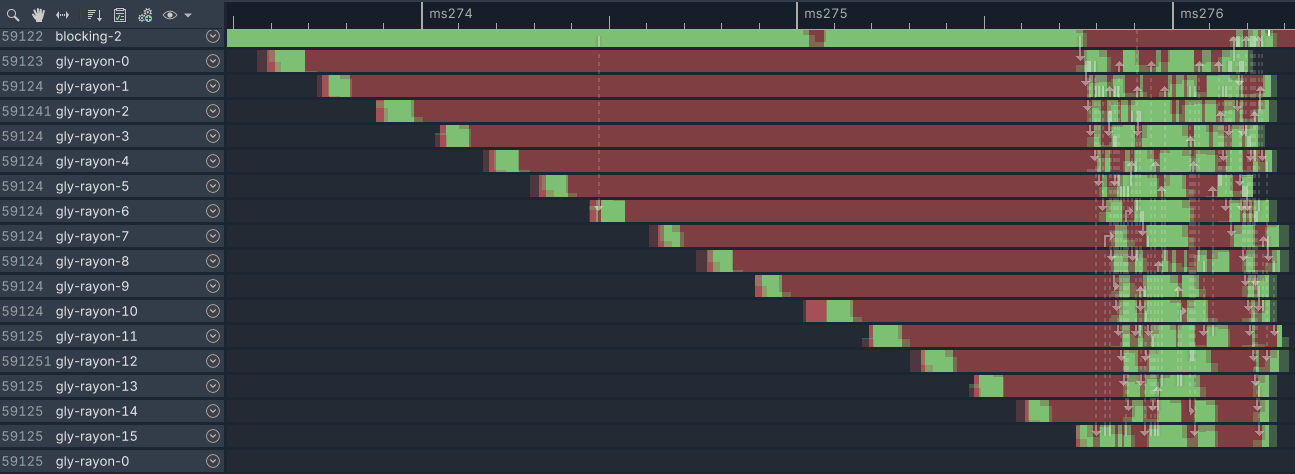
A quick glance shows the following:
Something on the main thread spawns 5 long running threads (gly-global-exec, async-io, blocking-1, blocking-2, gly-hdl-loader). Those take some 26 milliseconds. Then they spawn the 16 threads, each waiting until all are alive (~2ms), they all start crunching (~500us), they terminate, main spins up, does some work, for two seconds, synchronizes with one of the threads, they spawn 16 more threads.
That goes on for 27 times. On every start of my application.
Zooming into the chunks doesn’t spark joy. They seem to constantly block each other.
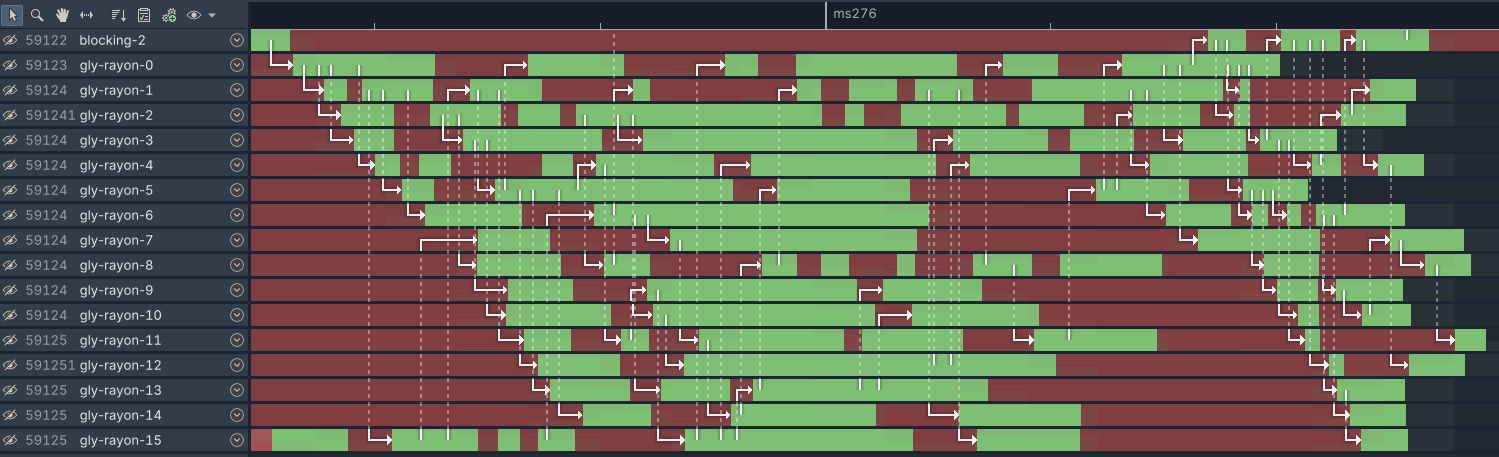
The name of the threads gives us a hint for what’s going on, loading debug symbols, too. We are currently looking at glycin, a GNOME library for loading images. It uses rayon, a data-parallelism library. I’ve downloaded the source code for glycin and it seems we are converting image formats fromats. It doesn’t seem particularly fast but I don’t even know what they are loading.
Let’s go up the stack and see, who spawns those.
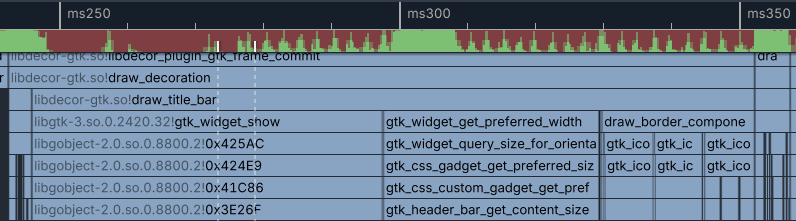
All threads originate from a library called libdecor-gtk.
I’ve been digging for a while and found the following:
To initializing my window I’m using raylib, which internally uses glfw, which does all the platform window handling. It abstracts over windows, macos and linux (x11/wayland) windows so you don’t have to deal with each platform individually. The base wayland specification doesn’t define/force “server sided decorations” onto the compositor, as was standard on x11. On compositors that lack that, clients have to draw their own frame, minimize, maximize and close buttons. There is a wayland extension that allows clients to figure out how they are supposed to draw their decorations. Since nobody can be assed to do that, the GNOME people made a library that does it for them. It talks to the compositor and draws decorations.
So why do I have to pay the price for that? I’m on KDE, which ships the compositor KWin, which does have server side decorations advertised.
After more poking around and trying to reproduce the broken behavior described above, I found a patch to glfw which causes the entire code path to not be taken on my machine. After removing that 100ms function, we now sit at ~100ms I guess people on GNOME or Weston, two compositors that don’t offer SSD, keep suffering.
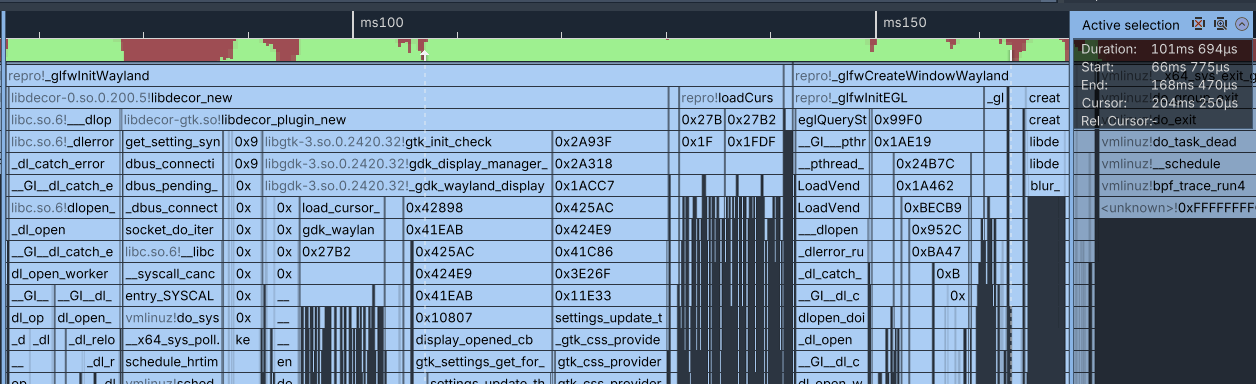
A huge part of the remaining time spent, initializing the screen is still in libdecor.
10ms to load the gtk plugin, 9ms to sync settings with dbus, 8ms loading cursors, some misc stuff and 11ms to load the theme, twice.
Once in gtk_init_check, then again after setting the color scheme in the very next line.
I’m currently running the “breeze” theme, which shiped with KDE Plasma. It comes with a heafty 200KiB CSS theme for shitty UI libraries that use that.
Removing that cleanly shaves of 22ms but breaks a lot of GTK apps, so a non starter.
I found that I can disable libdecor in glfw entirely by calling this before glfwInit glfwInitHint(GLFW_WAYLAND_LIBDECOR, GLFW_WAYLAND_DISABLE_LIBDECOR);
Another 60ms shaved off, we are now down to ~40ms to create a window.
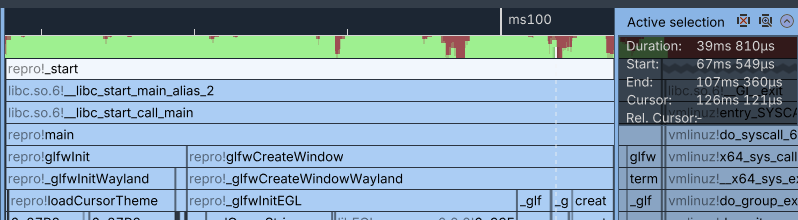
I still don’t know why gtk is loading 27 images at startup, I just know that it’s not doing it in a very efficient manor and that seems to be the default for GNOME.
Recently I saw a thread on Xitter about initial window startup. They said taking >200ms for a window was a joke. I think 160ms for a frame is a bad joke.